Topic
Marburg Knowledge Spaces
Rediscovering places of the past – marking the 500th anniversary of Philipps University of Marburg
Rediscovering places of the past – marking the 500th anniversary of Philipps University of Marburg
The “Marburg Knowledge Spaces” project is being created to mark the 500th anniversary of Philipps University of Marburg in 2027. The web application brings the rich history of the university, science, and architecture to life digitally—and also opens doors to buildings that have long since been destroyed or are not open to the public.
The idea originated with Prof. Dr. Peter Bell from the Institute of Art History and is being implemented as an interdisciplinary project in collaboration with the Marburg Center for Digital Culture and Infrastructure (MCDCI) and the Marburg-based software company INOSOFT AG.
The starting point is a virtual flight over the university's buildings: each building can be clicked on and leads to its own virtual environment, which, depending on the source material, ranges from a simple 360-degree panorama to a detailed, walk-through 3D reconstruction.
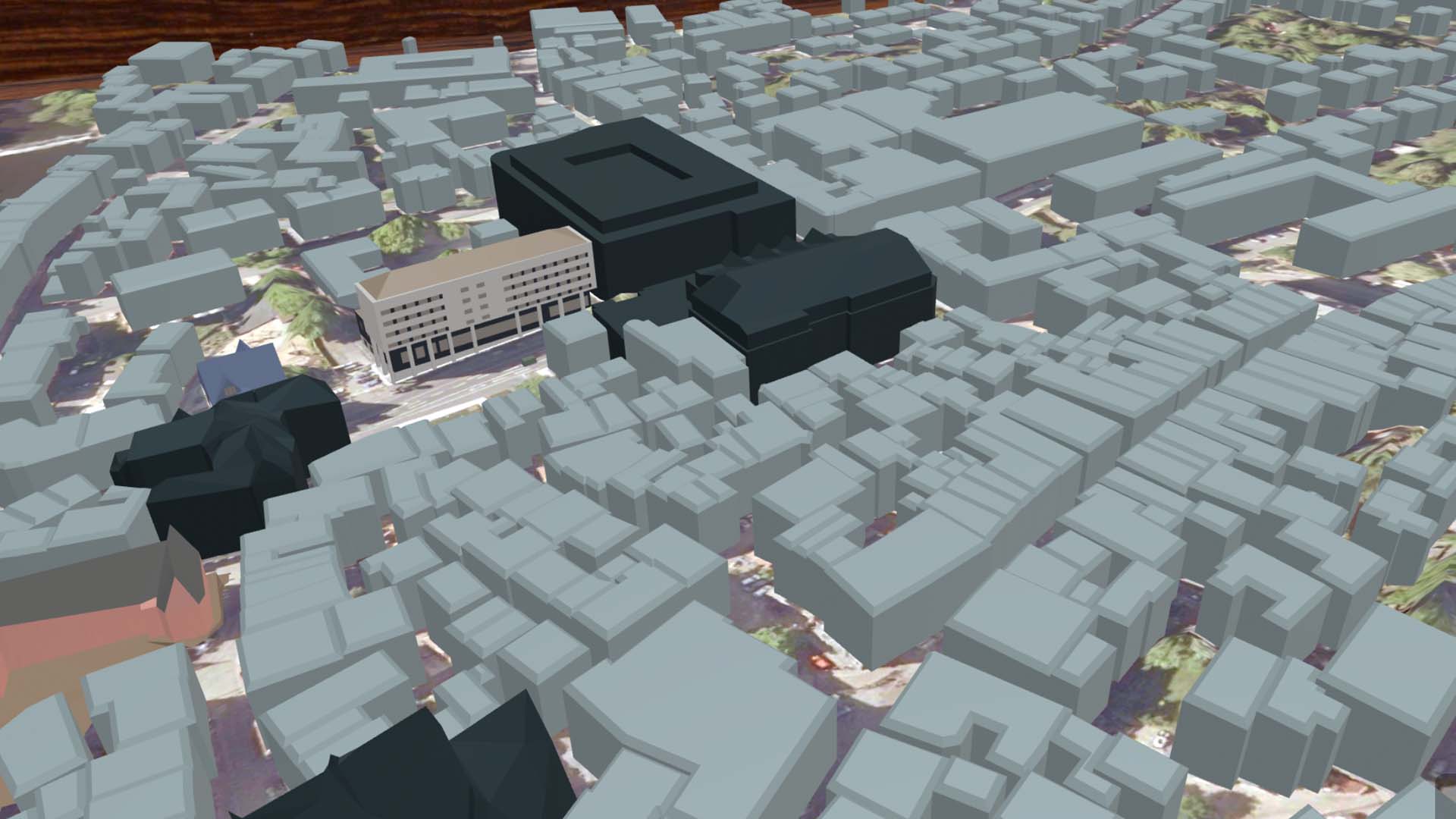
Within these rooms, content is presented via so-called info boards—information windows placed freely in the room with text, images, videos, and audio files. Guided tours with defined waypoints allow visitors to explore the history of a building step by step.
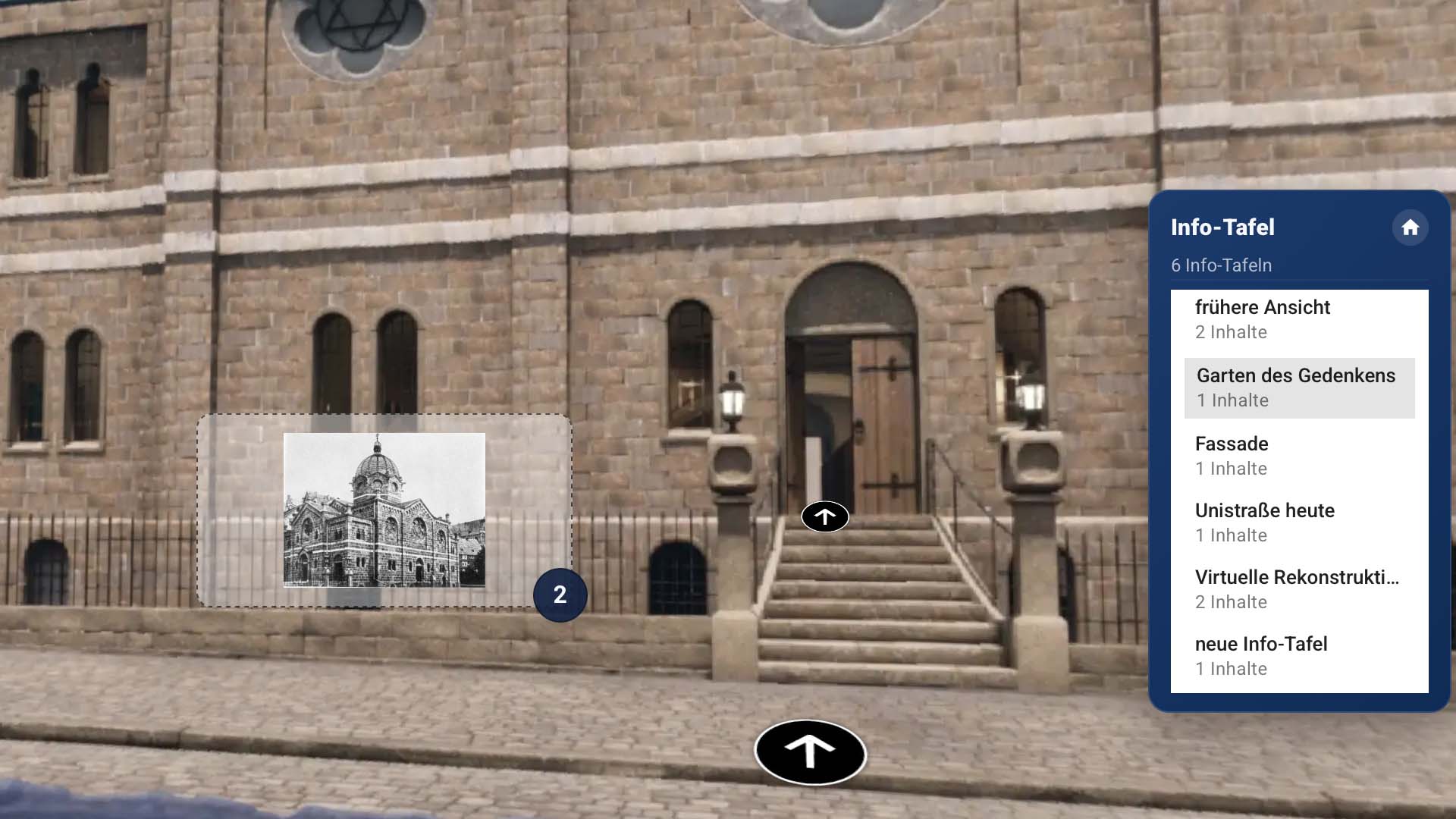
A vivid example of the maximum expansion stage is provided by the virtual reconstruction of the former synagogue on Universitätsstraße, which can be explored at this link.
Students and teachers from numerous departments actively contribute to filling the rooms with content – supported by archives, collections, and other sources.
The knowledge rooms are deliberately designed as an open project: alumni, university members, and anyone else interested can contribute their own memories, photos, and anecdotes via a web form. The result is a living mosaic of academic documentation and personal stories – accessible on smartphones, tablets, and PCs, both on site in Marburg and from anywhere in the world.
Basic Structure: The virtual flyover visually depicts the university buildings. Each building has its own link, which can also be accessed on site via QR code. The link leads to an individual virtual environment, the level of detail of which can be flexibly designed – from a stylized building approach to a 360-degree photo to a fully navigable 3D representation, as implemented for example for the Synagogue on Universitätsstraße.
Information Boards: In the virtual environments, information boards float in the space, displaying content. Any amount of information can be stored per board: images, text, HTML pages, videos, or audio tracks. The boards can be opened, closed, and viewed in a large view. Administrators determine the number, position, size, and initial state.
Tours and Waypoints: At the maximum expansion level, guided tours through a building can be created. For this purpose, waypoints are defined, each of which is linked to information boards with content. The development team is responsible for defining the tours and waypoints.
User Groups and Rights: The application distinguishes between three user groups: guests with public access without registration, content creators with administrative rights for content maintenance, and restricted working groups. Content can be assigned to specific groups so that only their members can see the respective content.
Content Management: Registered administrators see an overview of all recorded content and can edit it directly – changes go live immediately. Content can be saved as a draft, assigned to a theme, and color-coded. For videos, it is recommended to use external services such as Vimeo or YouTube and only embed the links instead of storing files on your own server.
Platform and Accessibility: The application can be used on smartphones, tablets, and PCs alike. Settings for language, info board display, and gyroscope control allow for individual customization. Special emphasis is placed on usability for all age groups.